Why Your Phone Compass Lies Near Cars and Power Lines
Quick Answer: Your phone’s direction arrow comes from a magnetometer - a tiny magnetic sensor - not from GPS. It measures the Earth’s magnetic field, which is weak enough that a car body, a buried utility line, a metal railing, or the magnet in your own phone case can overwhelm it. GPS position stays accurate while the arrow points somewhere useless.
The tell is simple: if your position is stable but the arrow swings or sticks, it is the compass, not the satellites.

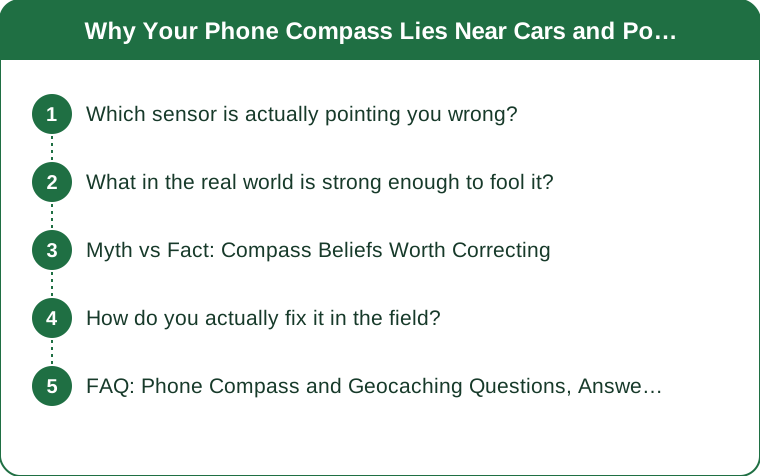
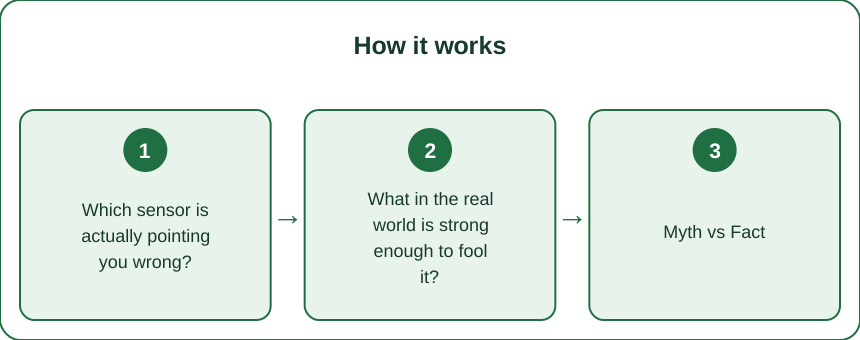
Which sensor is actually pointing you wrong?
There are two completely different systems producing what feels like one piece of information, and they fail in different ways.
GPS gives you position. Your phone works out where it is by timing signals from satellites overhead. Errors here look like your dot sitting fifteen feet off, drifting under tree canopy, or jumping between locations in an urban canyon.
The magnetometer gives you heading - which way the phone is facing. It is a tiny sensor measuring the Earth’s magnetic field, and that field is genuinely feeble. Roughly 25 to 65 microtesla depending on where you stand, which is orders of magnitude weaker than the field near a car door or a speaker magnet.
There is a third mode worth knowing: when you are moving, many apps stop using the magnetometer and calculate heading from your successive GPS positions instead. That is why the arrow often behaves beautifully while you walk and goes haywire the moment you stop at ground zero - which is precisely when you need it.
So the diagnostic is straightforward:
- Position dot stable, arrow swinging or stuck - magnetometer problem. Interference or calibration.
- Position dot jumping around, arrow following it - GPS problem. Canopy, terrain, or satellite geometry.
- Arrow good while walking, useless while standing - your app is switching from GPS-derived heading to magnetometer heading, and the magnetometer is unhappy.
Most of the frustration at ground zero comes from treating all of this as one thing called “my GPS is bad.”
What in the real world is strong enough to fool it?
More than you would guess, and several of them are things cachers stand next to constantly.
Vehicles. A car is a large mass of ferrous metal that distorts the local field noticeably, and standing within a couple of feet of one is enough to throw a heading off substantially. Standing inside one is worse. Since a great many caches are a short walk from a parking spot, this is the single most common interference source in the hobby - and people habitually check the arrow while still beside the car.
Buried and overhead utilities. Direct-current lines and any conductor carrying significant current generate their own field. Buried gas and water lines are often steel. Utility cabinets, manhole covers, and pipeline markers - all of which are extremely popular cache hiding spots - sit in locally distorted fields.
Structural metal. Guard rails, chain link fences, steel-reinforced concrete, bridges, lamp posts, and bench frames. Urban caches live among these.
Your own gear. This is the one people miss. Magnetic phone mounts and magnetic-closure cases put a permanent magnet within an inch or two of the sensor. Some wireless charging cases and certain magnetic accessory systems do the same. If your compass has been unreliable everywhere, take the case off and test - a surprising number of “broken” compasses are a case.
Geology. Rarer but real. Iron-rich rock, volcanic terrain, and mineralized ground produce local anomalies. If a specific location is consistently wrong while everywhere else is fine, and there is no metal in sight, this is a genuine possibility.
The useful habit: before trusting the arrow, look around and ask what large metal object is within arm’s reach. Then walk away from it.

Myth vs Fact: Compass Beliefs Worth Correcting
Myth: A bad arrow means a weak GPS signal. Fact: They are separate systems. You can have a perfect satellite lock and a completely wrong heading. Check whether your position dot is stable before blaming the sky.
Myth: Calibrating once fixes it for good. Fact: Calibration compensates for the phone’s own internal magnetic offsets, which shift with temperature, with nearby magnetic objects, and after strong field exposure. It is a periodic maintenance task, not a permanent setting. Recalibrating when you arrive at a site takes ten seconds.
Myth: The figure-eight motion is superstition. Fact: It genuinely works, and there is a reason. The magnetometer measures on three axes and calibration needs samples across many orientations to solve for its offsets. Rotating the phone through as many orientations as possible is exactly what the algorithm needs. Waving it flat in a circle gives it far less to work with.
Myth: Expensive phones have better compasses. Fact: Sensor quality varies, but physics does not care about your price bracket. A flagship phone standing next to a truck reads just as wrong as a budget one. What better phones sometimes do is fuse gyroscope data more intelligently, which smooths the display - occasionally making a wrong heading look more confident rather than less.
Myth: A dedicated handheld GPS unit is immune. Fact: Handhelds with electronic compasses use the same kind of sensor and are affected the same way. What they usually have is a better antenna for satellite reception - a GPS advantage, not a compass one. The traditional baseplate compass in your pack is the only genuinely independent check, and it is affected by nearby metal too.
How do you actually fix it in the field?
In rough order of how often it works.
1. Step away from metal, then recalibrate. Walk ten or fifteen feet from any vehicle, railing, or utility fixture. Then do the figure-eight: hold the phone and trace a figure eight in the air, rotating your wrist so the phone passes through as many orientations as you can manage. Some apps prompt for this; you can do it any time regardless.
2. Take the case off. If the arrow is wrong everywhere, this is the culprit more often than people expect. Test with the case off and compare.
3. Use the walk-in method instead of the arrow. This is the technique experienced cachers rely on, and it sidesteps the magnetometer completely. Rather than standing still and following the arrow, walk in a straight line for twenty or thirty feet and watch the distance number. Falling means you are heading the right way. Rising means turn around. Two or three legs of this triangulates ground zero reliably, using only position data.
4. Cross-check with a real compass. A baseplate compass costs very little and weighs nothing. If the phone and the baseplate disagree wildly, you have confirmed interference - and you have a working heading regardless.
5. Give the position a moment to settle. If the dot is also unstable, stand still for thirty to sixty seconds with a clear view of the sky before making a decision. Position accuracy improves noticeably once the receiver has been stationary briefly.
6. Stop navigating and start searching. Once you are within about fifteen feet, the arrow has stopped being useful anyway - that is roughly the accuracy floor of consumer GPS under good conditions. At that point, put the phone away and read the terrain, the hint, and the previous logs. Most cache finds at close range come from thinking like the hider, not from a better bearing.
FAQ: Phone Compass and Geocaching Questions, Answered
Why does the arrow spin when I stand still but behave while walking?
Because many apps derive heading from consecutive GPS positions while you move and switch to the magnetometer when you stop. The spinning is the magnetometer, revealed. Recalibrate, step away from metal, or fall back to the walk-in method.
Does airplane mode affect the compass?
Not the magnetometer itself, which is a passive sensor. But airplane mode can disable assisted GPS data, making position lock slower and less precise on some devices - and worse position makes the walk-in method less effective. Leave it off while caching.
Can a phone compass be permanently damaged by a magnet?
Usually not permanently. Strong magnetic exposure can leave a temporary offset that recalibration clears. Very strong fields can leave a persistent bias in the surrounding metal components, which calibration mostly compensates for. If a phone reads wrong everywhere even with the case off and after several careful calibrations, the sensor itself may be failing - but check the case first, twice.
Should I trust the compass or the distance number?
The distance number, nearly always. It comes from position data, which is the more reliable of the two, and the walk-in method uses nothing else. Treat the arrow as a hint about which way to start walking and the distance as the actual instrument.
TL;DR:
- Heading and position come from different sensors - a wrong arrow with a stable dot is a magnetometer problem, not a satellite problem.
- Cars, buried utilities, railings, rebar, and magnetic phone cases all easily overwhelm the Earth’s weak magnetic field.
- Calibration is periodic maintenance, not a one-time fix, and the figure-eight motion works because the sensor needs samples across many orientations.
- The walk-in method - walk twenty feet and watch whether the distance falls - bypasses the compass entirely and is what experienced cachers use.
- Inside fifteen feet the arrow is meaningless anyway; switch from navigating to reading the terrain and the hint.
Next time the arrow misbehaves, check what metal is within arm’s reach before you blame the satellites.
Keep Reading
This article is for general informational and styling purposes only. Fit, sizing, and product availability may vary.